

Recently we’ve been working on a project where we need to take over hosting of a mobile app backend. For push notifications, the app is using Azure Notification Hub to support sending messages to both iOS and Android. The Notification Hub resided in the original developer’s personal Azure subscription; we wanted all the resources going forward to be in our client’s dedicated organizational subscriptions.
In any sane managed notifications service, this task would not come with any surprises. Yet “sane” and Azure rarely coexist in the same sentence. And so began a dark descent into pricing madness.
Setting up the resources
I’ve worked with AWS SNS and Twilio before. However, this was the first time working with Azure Notification Hub. As such, I felt like a “clickops” run to set up the hub for a development environment would be a good first step.
When opening the menu, there are a handful of options:
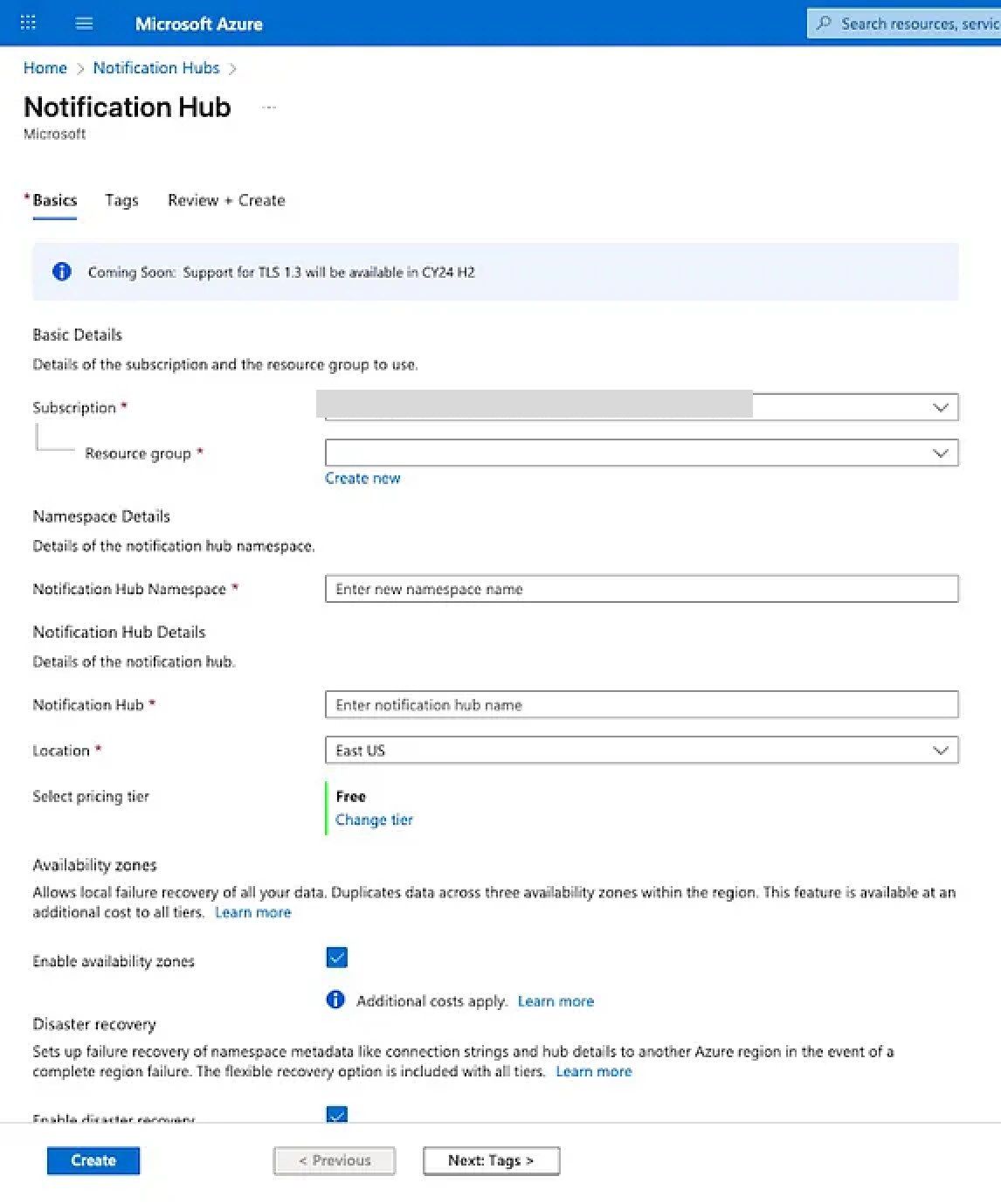
Perfect, it defaults to the Free Tier! I’m sure the rest of the defaults are fine, too. “Additional costs apply” next to a checkbox... that’s probably just a CYA clause for usage beyond the free limits. No big deal.
And with a couple clicks, boom, a new Notification Hub was born, ready to spam your phone with weekly deals – err, I mean totally valuable personalized content that transforms your shopping experience. Plugging in the Apple and Google keys was a breeze, and we quickly moved on to other infrastructure tasks for the project.
Maybe Azure isn’t so bad after all, we thought 🤔
Then the bill came.
Your monthly statement is ready
A few weeks later, Anthony, who monitors our cloud spend as part of a weekly cashflow review, noticed something unusual: Our Microsoft invoice went from $2.99 in July to almost $250 in August!
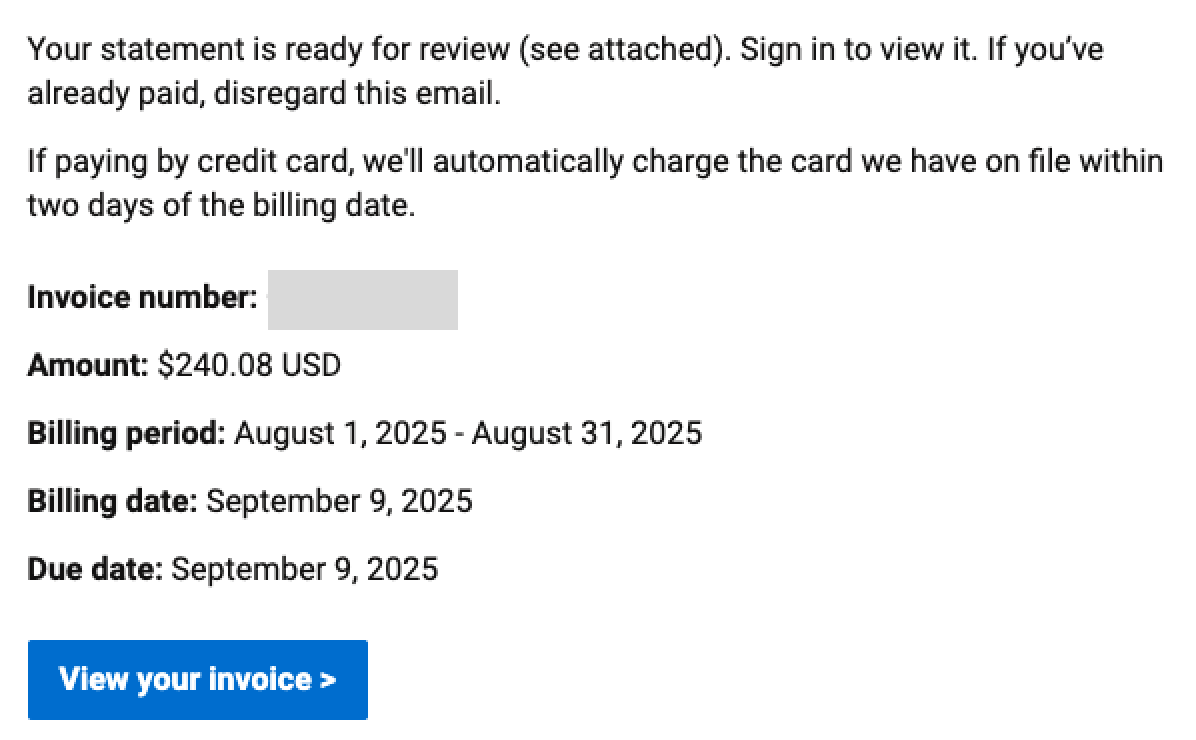
Our first thought was, “Oh, maybe this is a Microsoft 365 subscription trial we forgot to cancel or something.” But alas, opening the bill revealed a more grim truth: our Azure costs had skyrocketed. What the hell was going on?
Fortunately, Azure does have a fairly good cost explorer, which we were able to use to narrow down the culprit pretty quickly:
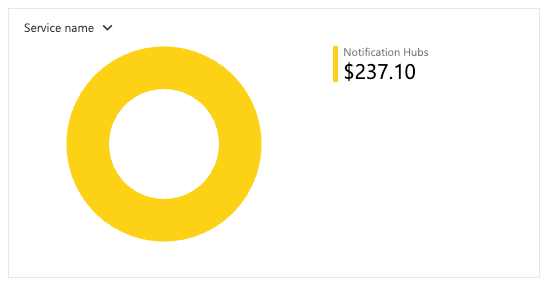
But… I thought we were on the free tier? Why was Notification Hub costing $240?
Finding the root cause
One more plug for Azure’s Cost Explorer. It seems the most pleasant thing about using Azure is how easy it is to find where your money’s being wasted. Anyway, in this case, we hopped into a different view that breaks down charges by service and product:
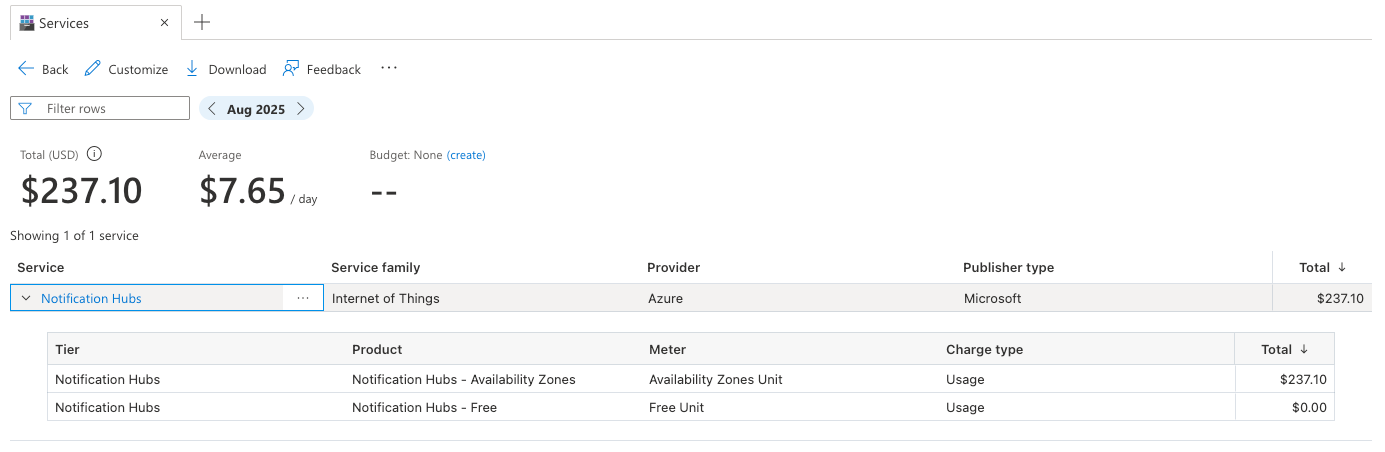
Availability Zones? For Notification Hub? What does that even mean?
To understand where we went wrong, we revisited the clickops process we followed, and sure enough, there it was, hiding in plain sight:

Hmm, yes, at this point, I would like to learn more 🧐.
Opening the link, you are taken to a page that helpfully documents the Availability Zones feature for Notification Hub. Great, I can confirm we don’t need it for sending weekly deals out to a few hundred regional users. If messages temporarily can’t be sent due to an Azure outage, we can easily redeliver them from the backend later by triggering the automated workflow built for that purpose.
Now, let’s try to find this pricing info… Oh wait, the price isn’t on this page. It looks like I need to go to the Notification Hubs pricing page to find out. And finally, lo and behold, we’ve found the costs!

So, uh, yeah, we did screw up, I guess. Whoops.
Did we say free? Our bad!
For me, this didn’t sit right. Why was that checkbox enabled by default on the Free Tier? Furthermore, what kind of user doesn’t care about an SLA, but is concerned about automatic failover of their push notifications, enough to to spend $350 / month for that peace of mind?
It felt like a pretty big oversight at best, and perhaps an intentional, dark pattern at worst.
After a little bit of research, I am leaning towards the latter. Apparently, in some regions, this feature is not only enabled by default; it can’t be disabled either. And why is the default via Azure’s REST API set to “Disabled”, but the checkbox is enabled by default on the Azure Portal?
Regardless of intentionality, I felt wronged. I opened a refund request, which, like cost analysis, was unusually pleasant compared to Azure’s actual cloud services. Later that afternoon, I got a response that our refund was being processed.
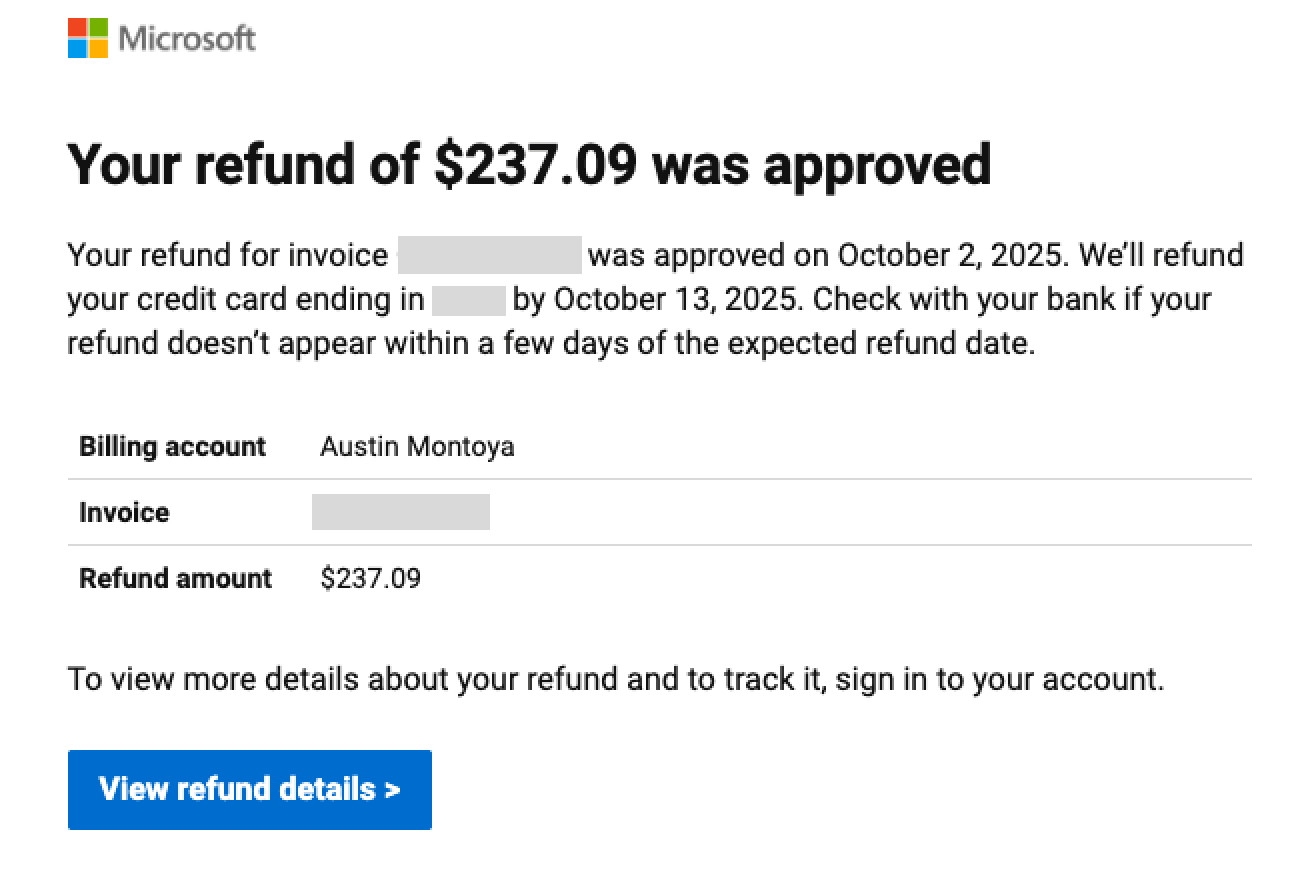
Hooray! Money saved! Time wasted! At least it’s over.
Not even IaC is safe
Surely, avoiding this would be easy the next time we set it up as IaC, right? In reality, it was just more transparent. Pulumi’s example code for creating an Azure Notification Hub enables the availability zone cost, once again segmented away from the Free/Basic/Standard price tiering.
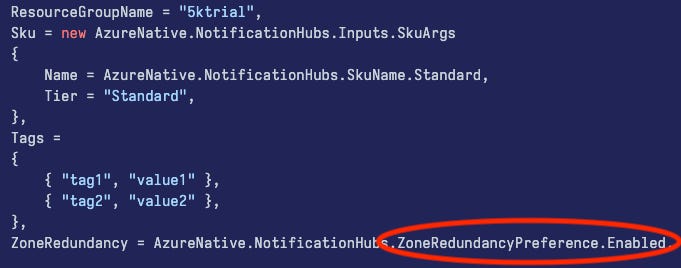
Combined with the default SKU cost, a hasty developer copy-pasting Pulumi’s template code will opt in to $550/month. If we hadn’t already been snagged by the clickops implementation, it’s easy to see how this could have slipped through, too.
What’s more is the inconsistency between tools. When we eventually moved the project to Terraform, we noticed Terraform takes a more reasonable ‘opt-in’ approach to the added availability zone cost. Microsoft even leaves it disabled in their own Terraform tutorial. Still, we’ve learned not to let our guard down.
How you can avoid large bills with Azure
Don’t use it. Plain and simple.
I’ve spent nearly $2000 in the last year on development resources that were misconfigured. Not obscure niche services – these were marquee, bread-and-butter infrastructure offerings, like managed SQL databases and file storage mounts.
Every time, the expense came down to some dark UX nonsense like the single checkbox on Notification Hub, or an incorrect setting in Terraform/Bicep.
Indeed, refunds were sometimes issued, but reactively playing whack-a-mole with hidden costs creates unplanned work for my team to deal with, which is not free. In this case, aside from investigating the bill, we had to completely delete and recreate the Notification Hub Namespace, then update the backend services with new settings, all to avoid spending $3600 / year on something that has zero value to our client.
If you are in a position where you can make a decision on a cloud vendor, stay away from Azure. You or your developers will 100% misconfigure it. You will waste money reworking resources, contacting support for refunds, and hiring consultants to help clean up the inevitable mess that gets created.
If you’re already using Azure, good luck. I hope you know what you’re doing. Definitely set up some cost alerts, and perhaps learn some meditation.